Browse and manage locations
An overview of Locations in the Storage domain of Enduro.
A location in Enduro is a space configured for the storage of information packages. This can be a directory on a local server or a third-party object store, such as S3-compatible storage. See the Administrator's manual for more information on supported storage solutions and configuration.
You can browse configured locations, see basic details about them, and view a list of AIPs associated with a given location.
Browse locations
To browse your configured locations, Click the "Locations" menu item under the Storage header in the navbar on the left side of the screen. Enduro will redirect you to the Locations browse page:
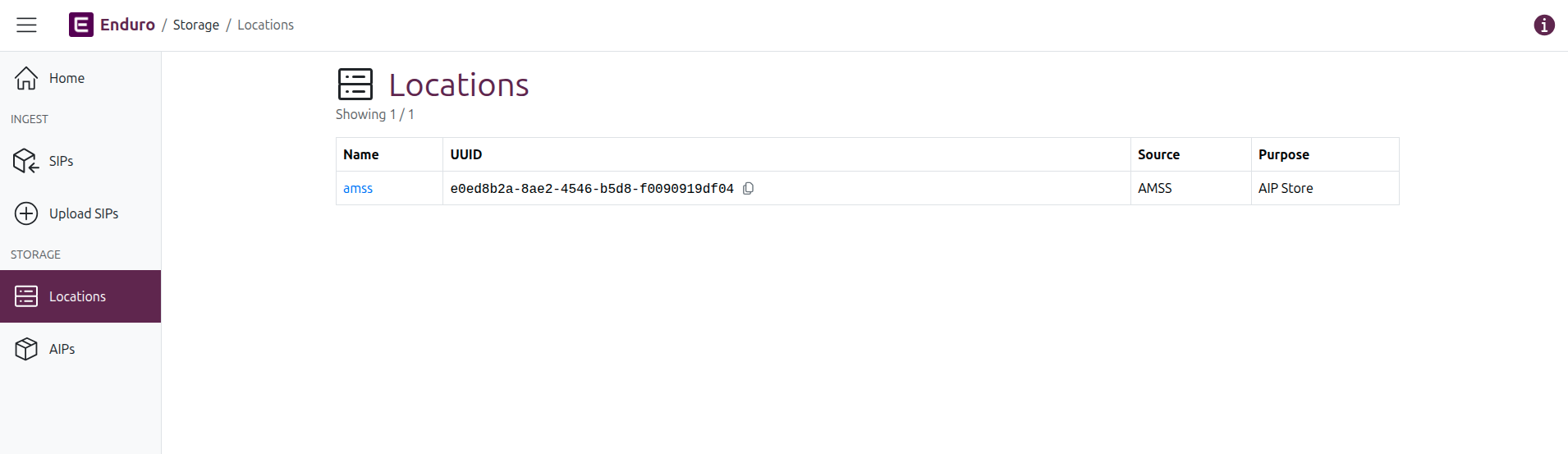
The browse page will show a list of results in a table, with a count of results listed under the page title.
Columns in the results table include:
- Name: The name of the associated location. This name is also a hyperlink: click the link to navigate to the Location's view page.
- UUID: The unique identifier associated with the location.
- Source: The location provider.
- Purpose: Brief description of the intended purpose of the location in the overall preservation plan - examples include: AIP Store, DIP Store, Quarantine, etc.
View a location
To navigate to the view page of a configured location, click on the hyperlinked location name in the Locations browse page results. Enduro will reload the page and display more details about the selected location:
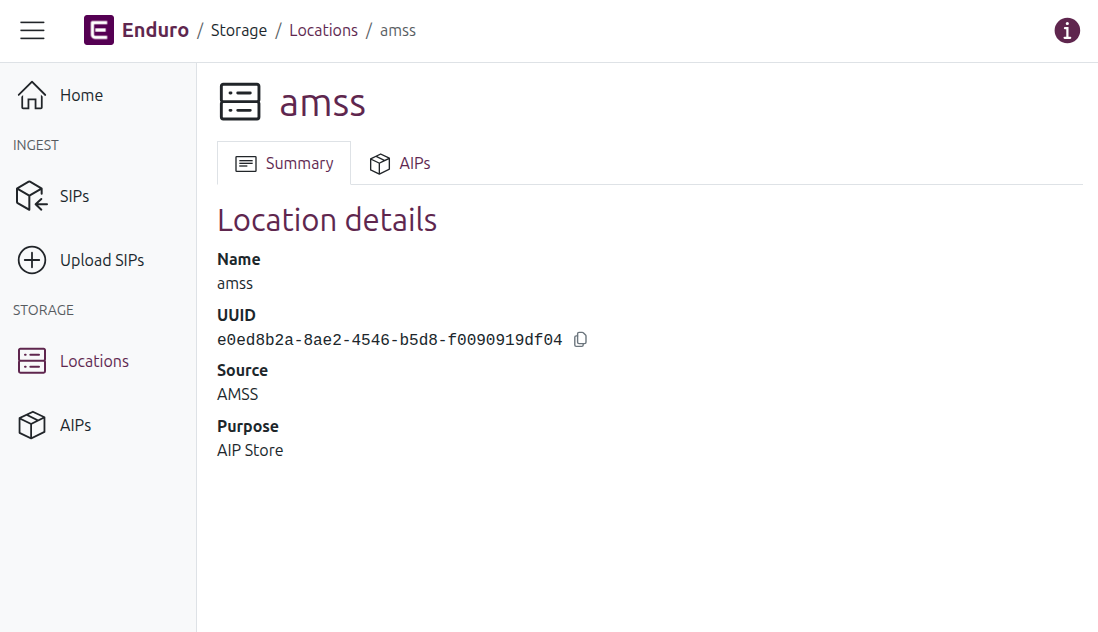
There are two tabs on a Location view page: the location Summary tab, and a tab listing related AIPs. By default the Summary tab is shown; click on the tabs to swap views.
Location summary tab
The Summary tab currently lists the same information found in the Browse locations results table:
- Name: The name of the associated location. This name is also a hyperlink: click the link to navigate to the Location's view page.
- UUID: The unique identifier associated with the location.
- Source: The location provider.
- Purpose: Brief description of the intended purpose of the location in the overall preservation plan - examples include: AIP Store, DIP Store, Quarantine, etc.
Tip
You can quickly copy the UUID of a location by clicking the icon to the right of it

Location AIPs tab
The AIPs tab displays a list of all AIPs currently associated with a given location.
A count of the total number of associated AIPs is shown above the results table.
The AIPs results table includes summary information about the associated AIPs. Columns include:
- Name: The name of the AIP. Whenever only 1 AIP is derived from an ingested SIP, the AIP name will be identical to the original SIP name, making searching across domains easier.
- UUID: The unique identifier assigned to the AIP during the preservation process.
- Deposited: A timestamp of when the AIP was received and stored in the current location.
Tip
Internally, Enduro will store timestamps in Coordinated Universal Time, i.e. UTC. However, the user interface will then render those timestamps based on your browser's or operating system's configured timezone settings.